List the ports you need
Use the exact product listing to compare the intended task, fitting and included components. Product capabilities are specific to the chosen model.
$35.99
Out of stock
Free standard US shipping
Contiguous 48 states & DC · 4–7 business days total
30-day returns
Merchant-paid return shipping. Read the policy
Questions about this item? [email protected]
Product brand: Lention
The details
Description
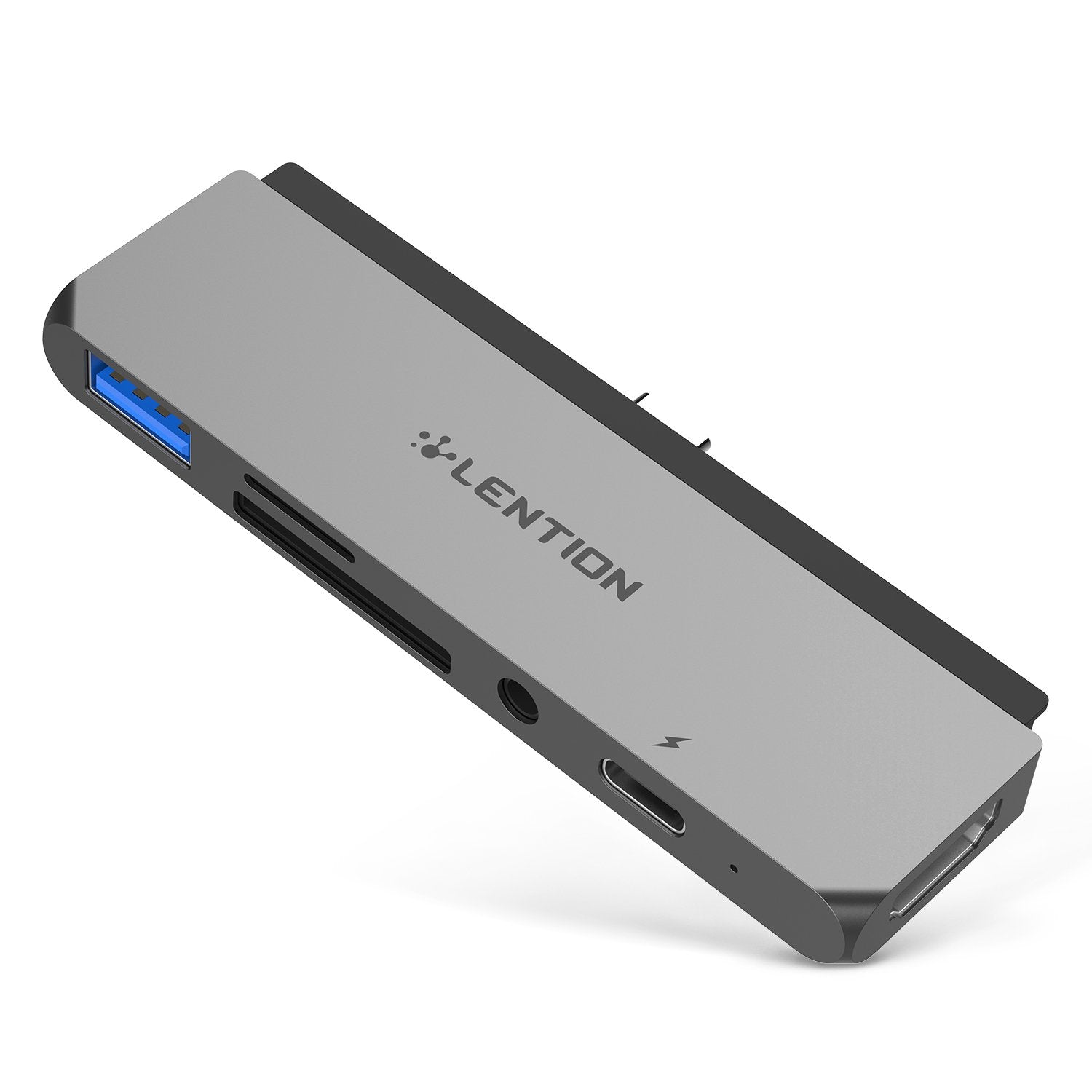
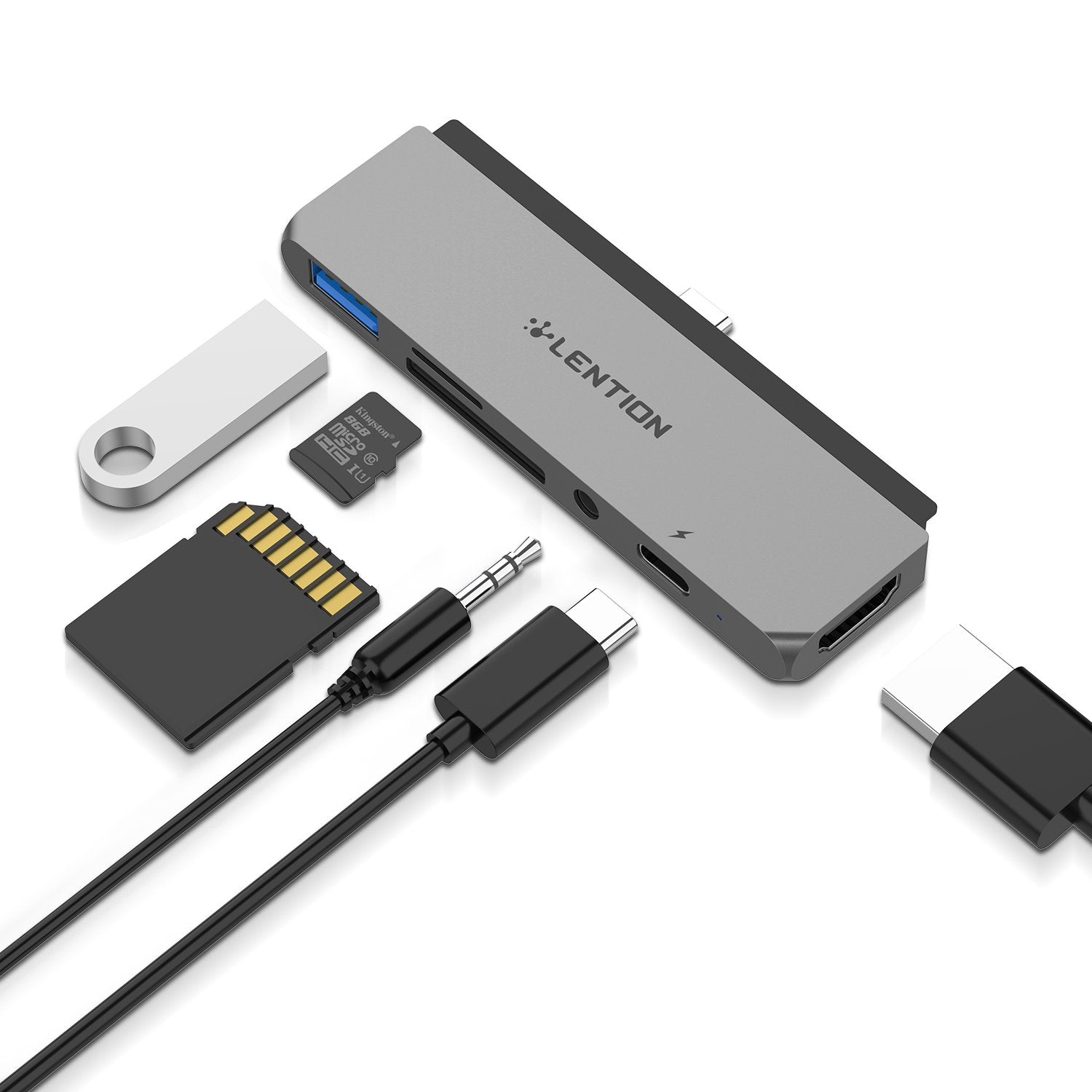
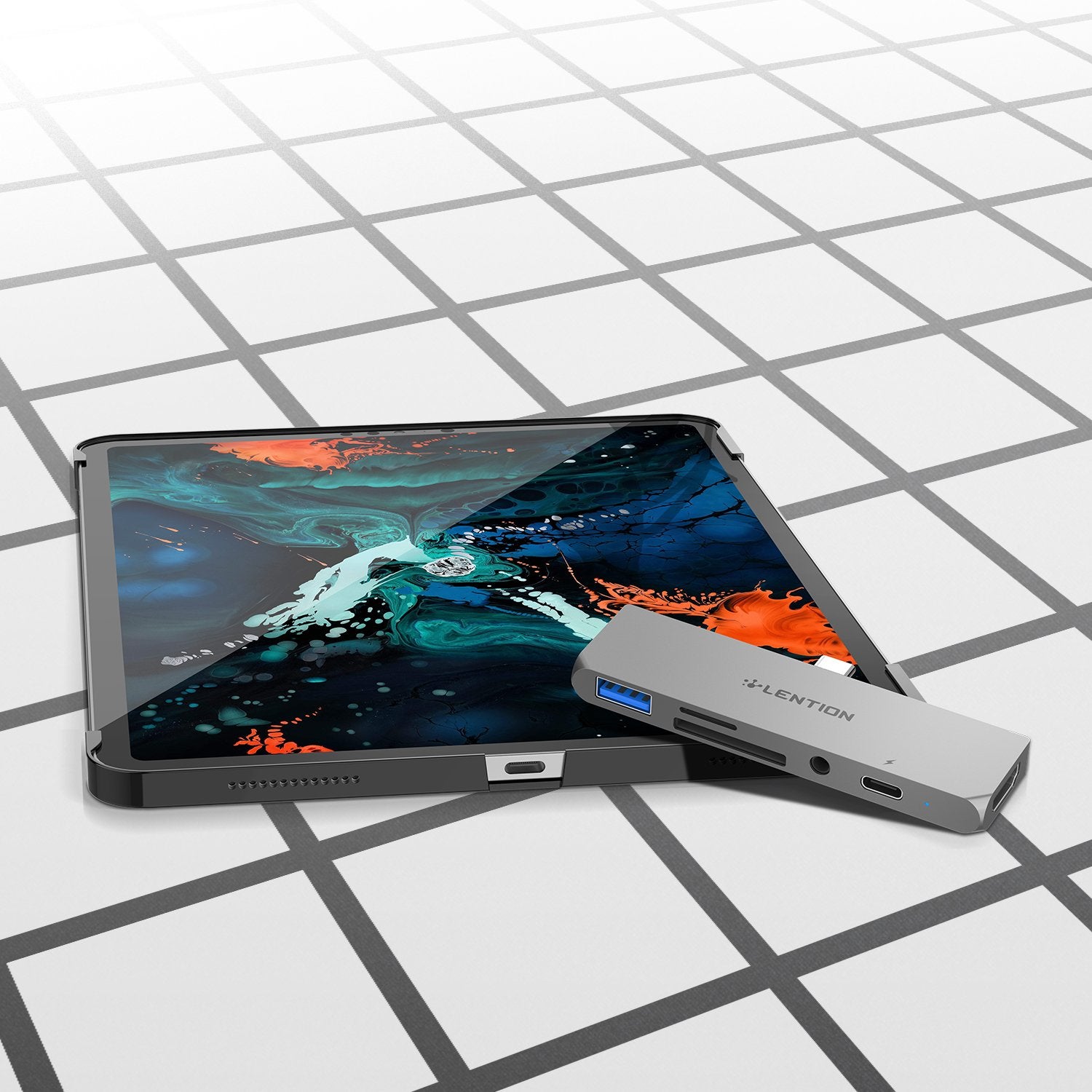
LENTION USB C Hub for New iPad Pro, with HDMI, USB 3.0, SD/Micro SD Reader, PD charging, 3.5mm (CB-CS17)
High Quality Video
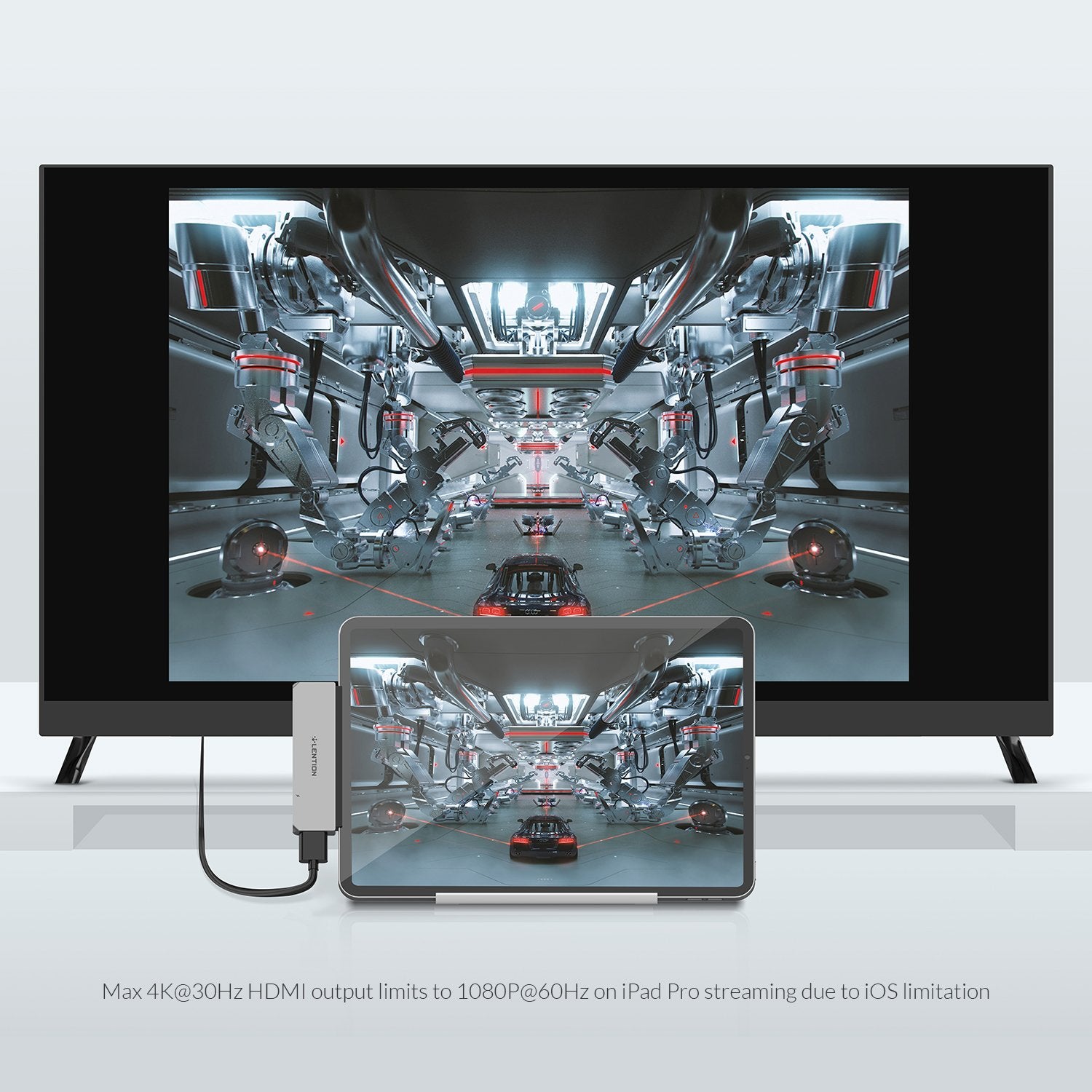
The adapter can deliver iPad Pro's Home screen and apps at 1080p@60Hz to HDMI displays. When playing video content, the resolution switches to match the content, up to 4K@30Hz. You can turn on the Match Content option on iPad Pro in Settings > Displays. Support HDCP 2.2.
Audio Output
Features a 3.5mm headphone jack to complement the lack of an aux port on new iPad Pro. With the 16-bit/48kHz digital audio, this adapter recognizes almost all audio signal, is ideal for listening to music, connecting an auxiliary cable and more entertainment activities. For audio output only, doesn't support in-line volume control, phone call or audio input.
Keyboard Extension
Under iOS, the USB 3.0 port is to connect a keyboard to enjoy smooth typing experience only, not for any other USB-A devices. While running iPad OS, you can use your mouse, keyboard or flash drive over the USB 3.0 port. Compatible with most Apple genuine accessories specially designed for iPad Pro like Apple Smart Keyboard, Apple Pencil and more.
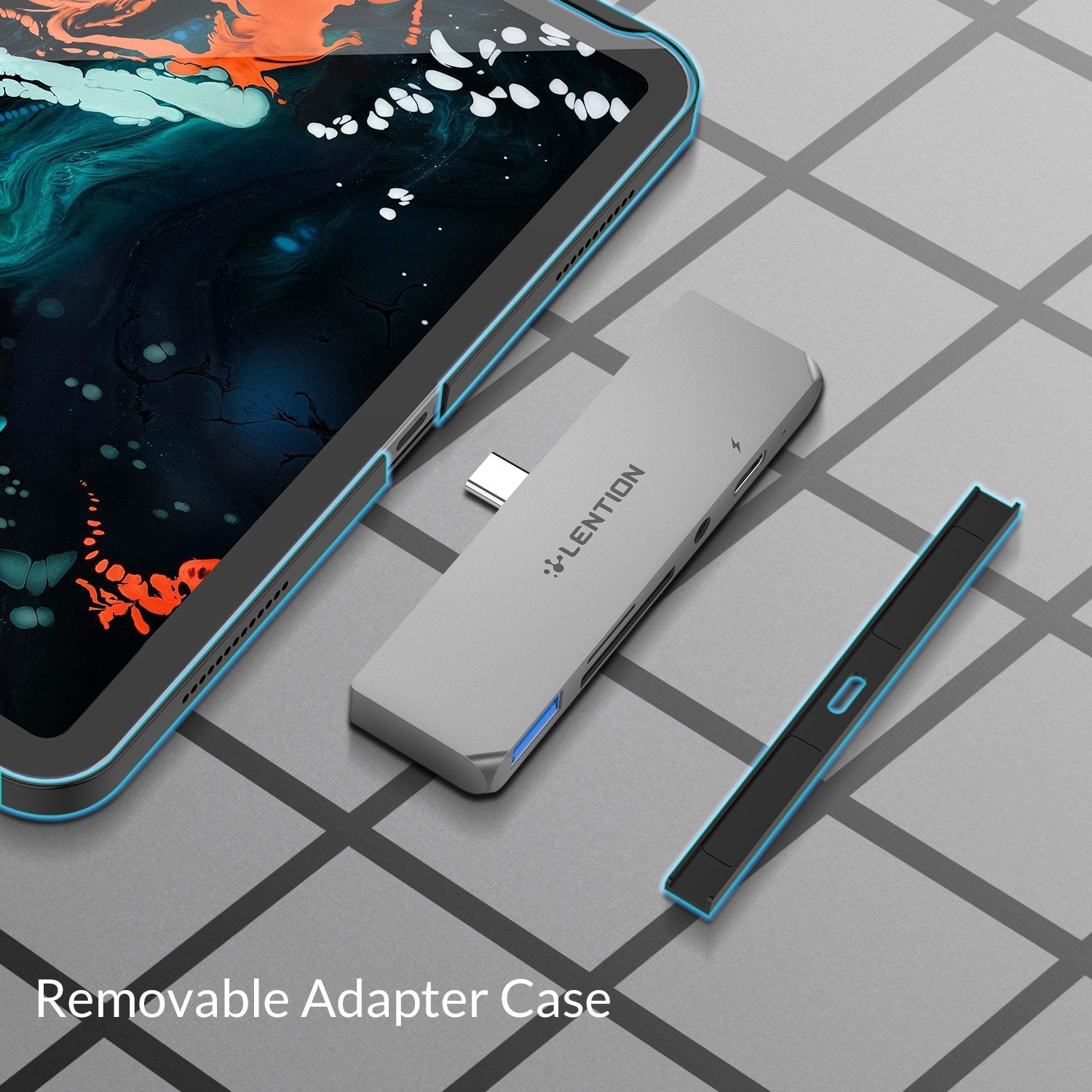
Removable adapter case
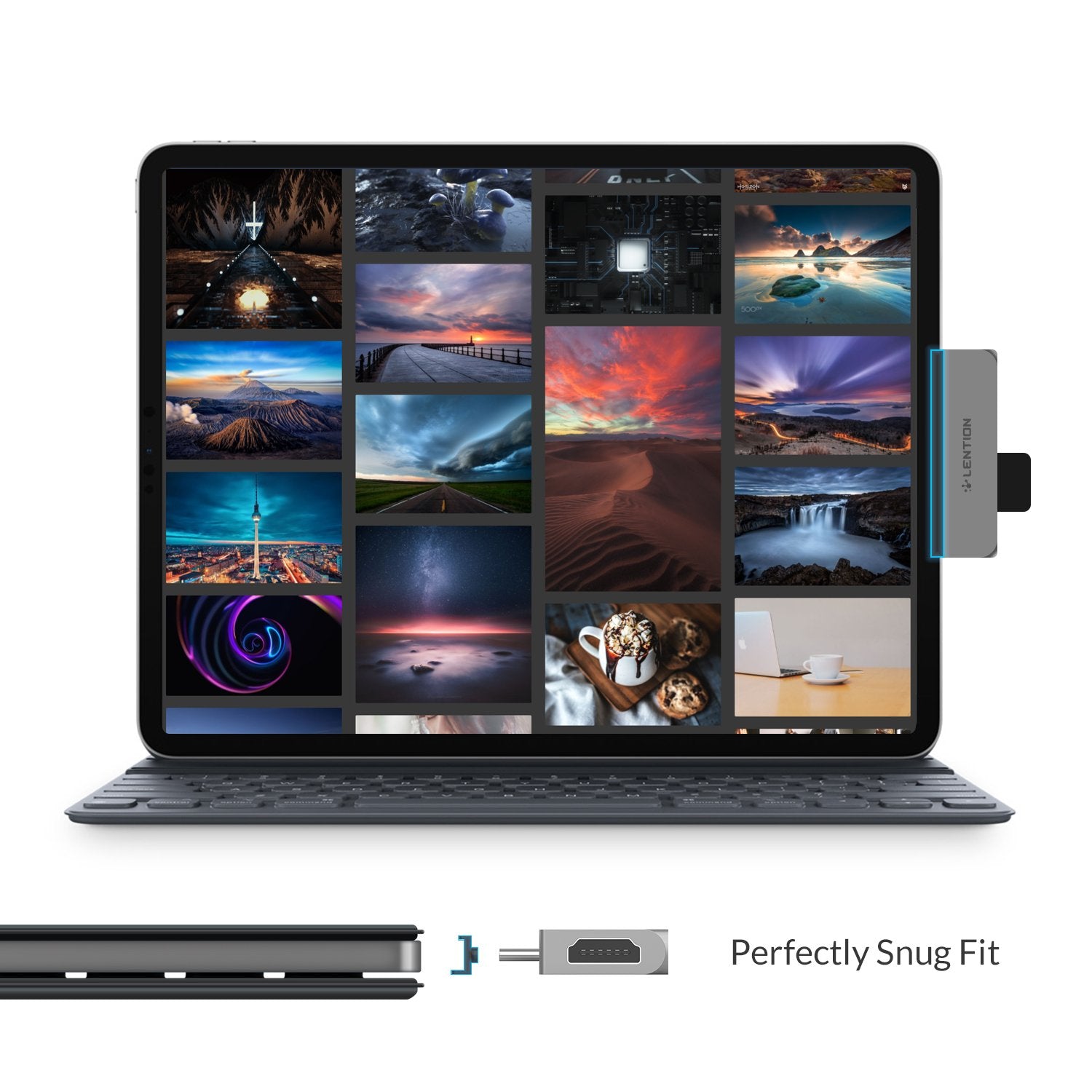
A removable adapter case equipped with the built-in magnets can snugly fit your iPad Pro which is covered by a genuine Apple iPad Pro case, it is not required to remove the adapter case if there's no case covered or covered by a third-party cover. And due to this design, the USB-C plug is a little bit longer to fit into the USB-C port of any other non-iPad devices completely.
Most important features
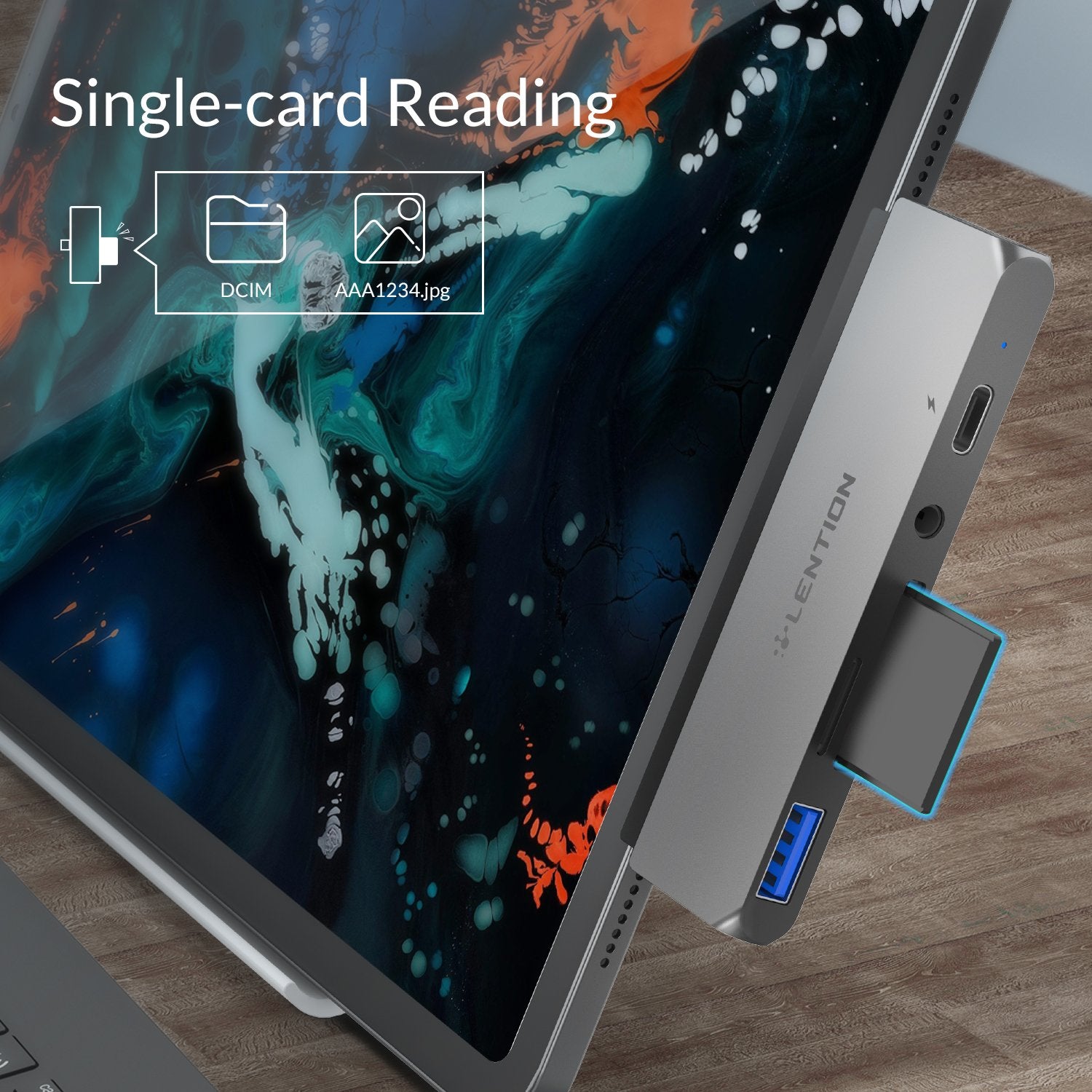
Design for iPad Pro 2018 Plug and Play Single card reading with USB 2.0 speed (30MB / s)
Full speed charging Powerful streaming 3.5mm headphone jack for audio output Detachable adapter case
Important notes
When used on iPad Pro with iOS, the USB 3.0 port is for connecting a keyboard only, but it does not support other USB-A devices.
When used on iPad Pro with iPad OS, you can use your mouse, keyboard or flash drive through the USB 3.0 port.
USB 2.0 card readers only read images taken with the camera, not to read files in any other format or to transfer them between your cards and devices.
To read images on your memory card, you must first create a "DCIM folder" for your images on your card and name it "AAAA1234.jpg". The file whose file name has been changed may not be recognized.
Features
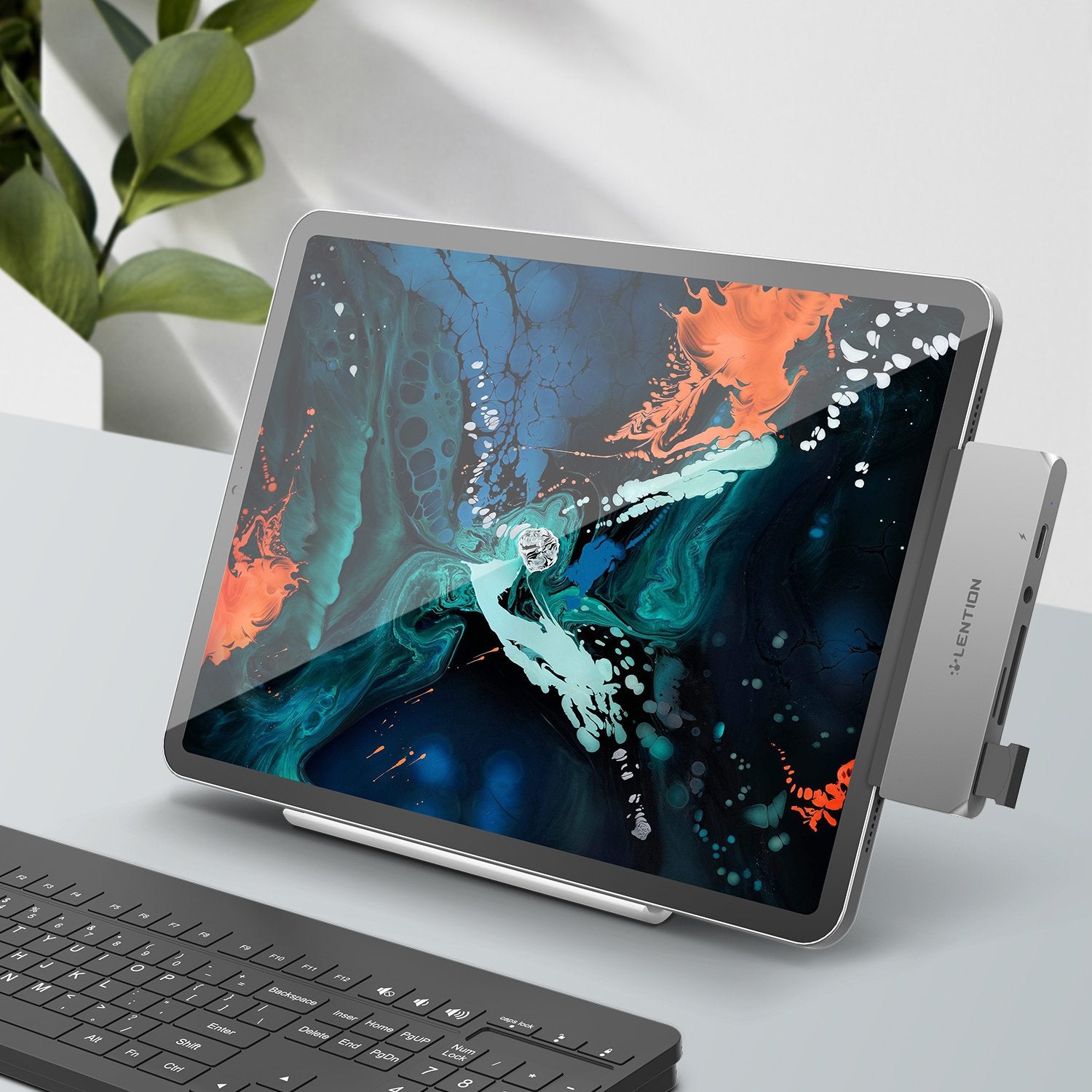
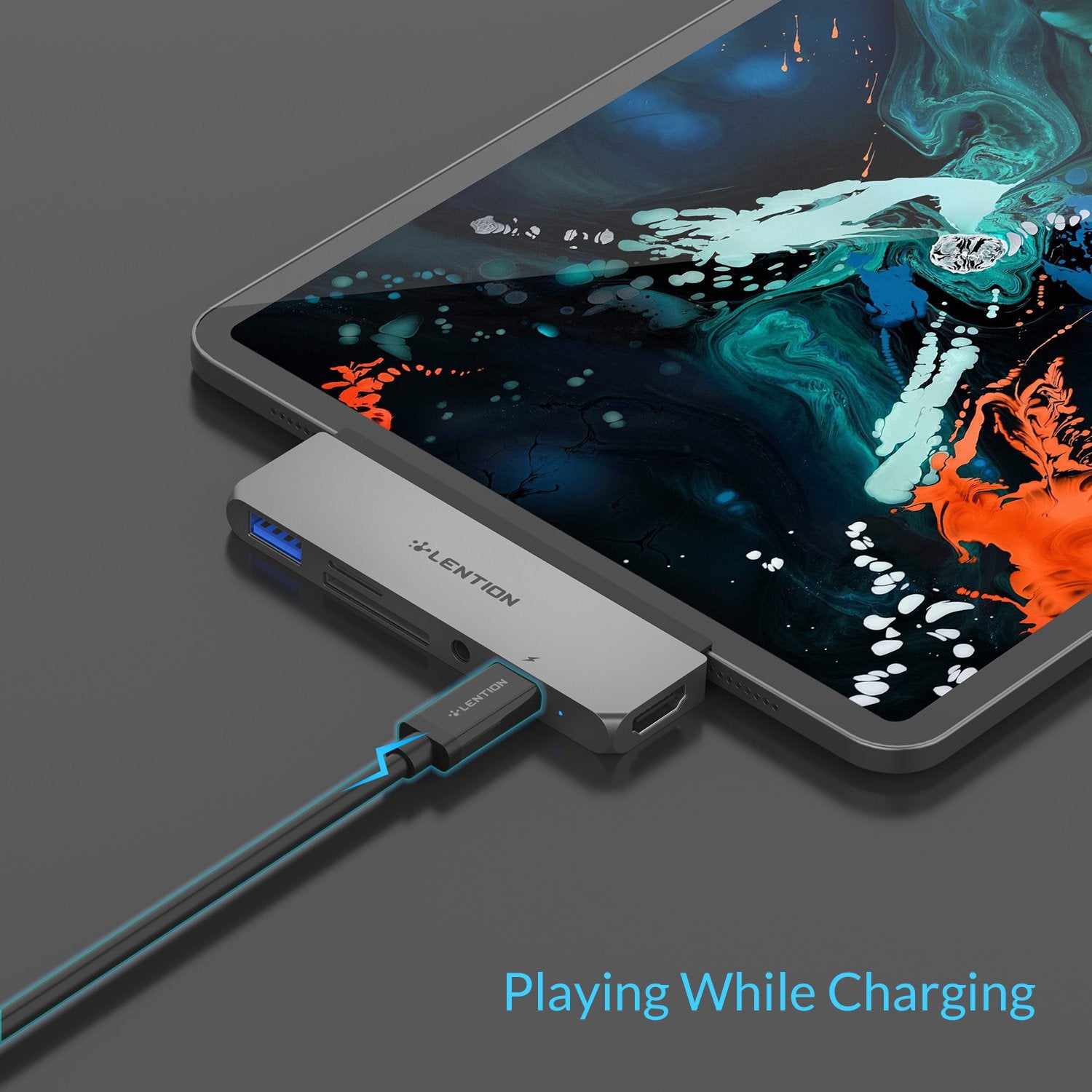
Innovatively iPad Pro Compatible – Specifically design for 2018 2020 new iPad Pro with USB-C port, allowing quick expansion to 1×USB 3.0, SD/Micro SD card slots, 1×HDMI, 1×3.5mm audio port and 1×Type C charging port. Work with all Apple genuine accessories designed for new iPad Pro, like Apple Smart Keyboard, Apple Pencil and more
High-speed Charging & Data – USB Power Delivery supported, charging your iPad Pro at full speed while running high-performance apps. USB 3.0 enables a max data transfer rate of 5Gbps. Only for typing experience on iPad Pro through a keyboard under iOS. Downward compatible with USB 2.0
Stunning Video & Audio Output – Max resolution Stunning Video & Audio Output – Support max resolution 4K@30Hz (3840×2160@30Hz) on Mac OS, 2K@60Hz (2560×1440@60Hz) on iPad Pro 2018 iOS 12, 2K@60Hz(2560×1440@60Hz)on iPad Pro OS, and HDCP2.2*. Desktop Extended Mode may bed apps due to iOS limitation, but resolution switches to match the content resolution while playing video. Desktop Extended Mode may be possible for Adobe Lightroom and some other applicable apps. 3.5mm audio port for audio output only
Inimitable Adapter Case – The built-in magnets make the adapter case removable. No need to remove the case when there's no case or a genuine Apple iPad Pro case covered on your iPad Pro. For a third-party cover, we recommend removing the adapter case before use
Mac Style Design – Tone-on-tone aluminum alloy casing complements your Mac and provides great heat dissipation. A compact and lightweight companion that adds your iPad Pro's connectivity and saves workspace
CB-D42
7 in 1 USB C Dock
CB-C35H-1M
6 in 1 USB C Hub
CB-D53
10 in 1 USB C Dock
CB-C69
10 in 1 USB C Hub
CB-C68
6 in 1 USB C Hub
CB-C65
6 in 1 USB C Hub
Color Selection
Space Gray
Space gray, silver, rose gold
Space gray, silver
Space Gray, Silver
Space Gray, Silver, Rose gold
Space Gray, Silver
Power Pass-through
USB C, (100W)
USB C, (60W)
USB C, (100W)
USB C, (60W)
USB C, (60W)
USB C, (60W)
HDMI Ports
Up to 4K/30Hz
Up to 4K/30Hz
Up to 4K/30Hz
Up to 4K/30Hz
Up to 4K/30Hz
Up to 4K/30Hz
VGA Port
–
–
–
–
–
–
DisplayPort Ports
–
–
–
–
–
–
Ethernet Port
–
–
1000Mbps
1000Mbps
1000Mbps
1000Mbps
Card Slots
SD & Micro SD
–
–
SD & Micro SD
SD
–
Audio Ports
Mic & Audio
–
Mic & Audio
Mic & Audio
–
–
USB Ports
USB 3.0 x2
USB 3.0 x4
USB 3.0 x3 & USB 2.0 x2
USB 3.0 x2 & USB 2.0 x2
USB 3.0 x2
USB 3.0 x3
More nice reviews:
Compatible Device
2018-2020 iPad Pro 11/12.9
2020 iPad Air (4th generation)
Know the fit
Mac Style Design - Tone-on-tone aluminum alloy casing complements your Mac and provides great heat dissipation. A compact and lightweight companion that adds your iPad Pro's connectivity and saves workspace
Choose & use with care
Use the exact product listing to compare the intended task, fitting and included components. Product capabilities are specific to the chosen model.
Compare the listed dimensions, capacity and actual option labels with your available space or equipment before ordering.
Use the care and handling directions supplied for the selected product. Contact our team with the SKU if a detail is not stated.
Follow the instructions supplied for the exact product. Features, limits and care directions are specific to the selected model.
Order preparation takes 1–3 business days, followed by 3–4 business days in transit: 4–7 business days in total. Standard shipping is free to the contiguous United States and DC, with no minimum order.
Request a return within 30 calendar days after delivery. We pay return shipping. After receipt, inspection and initiation of an approved refund take 5–7 business days.
Before you decide
List the ports you need. Read the actual item description, included parts and options. The collection contains different models; a feature stated for one item should not be assumed for every product.
Check your operating system. Compare the dimensions and compatibility stated for the selected item with the space or equipment you intend to use. If a required measurement is absent, send the product name or SKU to [email protected] before purchasing.
Available choices are shown on the individual product page. Select the actual option labels before adding a variable product to your cart. Photos and specifications should be read together with that choice; availability is specific to the selected configuration.
Measure the setup. Follow the instructions supplied for the exact model. Do not assume that all items have the same materials, installation method, care directions or intended use.